
If you've changed your domain name, moved your site to HTTPS, or need to update links site-wide, you might need to search and replace old URLs in WordPress. Doing it manually can be time-consuming—and risky so let's find out how to do it safe and effective.
Common reasons for replacing old URLs:
Important: Backup Your Website First.
Before making any changes to your database, always create a full backup of your site, including:
You can use tools or your hosting provider's backup feature.
One of the most popular and safe plugins.
1. Go to Plugins → Add New.
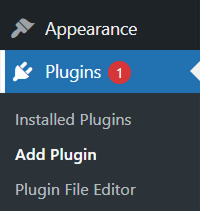
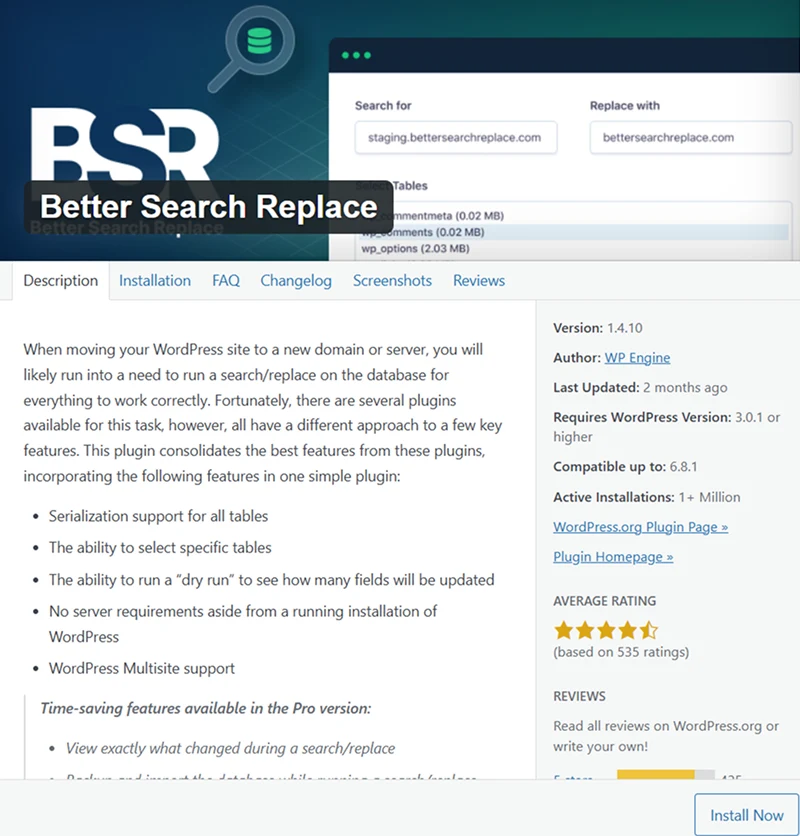
2. Search for Better Search Replace, install, and activate it.
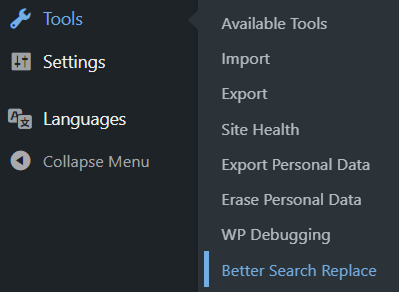
3. Go to Tools → Better Search Replace.
4. In the Search for field, enter your old URL (e.g., 'http://oldsite.com').
5. In the Replace with field, enter your new URL (e.g., 'https://newsite.com').
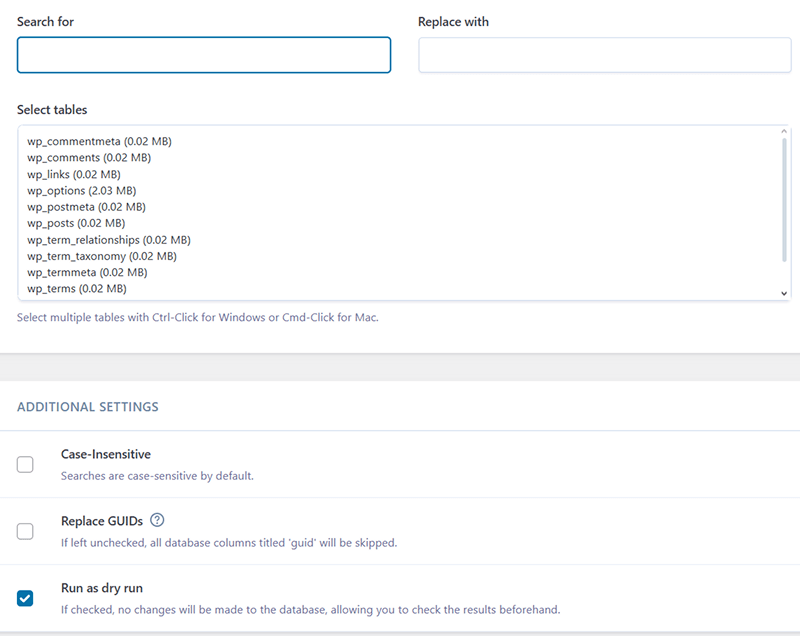
6. Select the tables you want to update (usually all).
7. First, run a dry run (checkbox at the bottom) to preview changes.
8. If all looks good, uncheck dry run and click Run Search/Replace.
This plugin handles serialized data, which is important for WordPress settings.
If you have command line access:
bash: wp search-replace 'http://oldsite.com' 'https://newsite.com' --all-tables
This updates all database entries. Safe and fast but for experienced users only.
You can open your database using phpMyAdmin and run SQL queries like:
sql: UPDATE wp_posts SET post_content = REPLACE(post_content, 'http://oldsite.com', 'https://newsite.com');
Warning: This is risky if you don't know SQL or if you're not familiar with how WordPress stores serialized data. Use a plugin instead unless you're very confident.
After the search and replace, verify:
Update URLs in Theme or Widget Areas
If your theme or widgets contain hard-coded URLs, they may not be updated by the plugin. You can:
Replacing URLs in WordPress is an essential task during site migrations, HTTPS upgrades, or domain changes. The safest and easiest method is using the Better Search Replace plugin. Just remember to back up first and test your site afterward to ensure everything works smoothly.

 Gmail Login
